
The PlayStation 5 is a powerful gaming machine, designed to deliver high-performance graphics and smooth gameplay. But with that power comes heat — and if your console isn’t cooling properly, overheating can quickly become a serious issue.
If your PS5 is getting unusually hot, shutting down during gameplay, or making loud fan noises, it’s a clear sign something isn’t right. Many gamers ignore these early warnings, but overheating can lead to long-term damage if not addressed in time.
If you’re searching for a reliable solution in Ealing, professional PS5 overheating repair and internal cleaning services can restore your console’s performance and extend its lifespan.
Why Does the PS5 Overheat?
The PS5 is built with an advanced cooling system, including a large fan and heat sink designed to manage internal temperatures. However, over time, several factors can reduce its efficiency.
1. Dust Build-Up Inside the Console
One of the most common causes of overheating is dust accumulation. As dust collects inside the fan and vents, airflow becomes restricted, causing heat to build up.
Even if your console looks clean from the outside, internal dust can still be a major issue.
2. Blocked Airflow
Where you place your PS5 matters. If it’s kept in a closed cabinet, near a wall, or surrounded by objects, airflow is limited.
Without proper ventilation, heat cannot escape efficiently, leading to overheating.
3. Worn or Ineffective liquid metal thermal paste
Liquid metal thermal paste helps transfer heat from the processor to the heat sink. Over time, this paste can dry out or lose effectiveness, reducing cooling performance.
4. Faulty Cooling Fan
If the internal fan is damaged, clogged, or not functioning properly, the console cannot cool itself effectively.
5. Heavy Gaming Sessions
Long gaming sessions, especially with high-performance games, generate significant heat. If the cooling system is already compromised, overheating becomes more likely.
Warning Signs Your PS5 Is Overheating
It’s important to recognise early signs before the issue becomes serious.
Common symptoms include:
- The console suddenly shuts down during gameplay
- Loud or constantly running fan noise
- Warning messages about overheating
- The console feels extremely hot to touch
- Performance drops or lag during games
Ignoring these signs can lead to internal damage, including motherboard issues or component failure.
Why You Shouldn’t Ignore Overheating
Overheating isn’t just a temporary inconvenience — it can cause permanent damage if left untreated.
Some potential risks include:
- Damage to internal components
- Reduced lifespan of the console
- Data loss or system crashes
- Expensive repairs in the future
Addressing overheating early is always the safer and more cost-effective approach
Can You Fix PS5 Overheating at Home?
Some basic steps can help reduce overheating temporarily:
- Placing the console in an open, ventilated area
- Cleaning external vents
- Avoiding long continuous gaming sessions
However, these solutions only address surface-level issues.
Internal dust build-up, fan problems, or liquid metal thermal paste issues cannot be properly fixed without opening the console. Attempting to do this without the right tools or experience can cause further damage.
What Happens During Professional PS5 Cleaning & Repair?
A professional PS5 overheating repair involves much more than simple cleaning.
1. Full Internal Inspection
Technicians first inspect the console to identify the root cause of overheating — whether it’s dust, fan issues, or liquid metal thermal paste degradation.
2. Safe Disassembly
The console is carefully opened using proper tools to avoid damaging internal components.
3. Deep Internal Cleaning
Dust is removed from:
- Cooling fan
- Heat sink
- Internal vents
- Power supply area
This restores proper airflow inside the console.
4. liquid metal thermal paste Replacement (If Needed)
If the liquid metal thermal paste has degraded, it is replaced to improve heat transfer and cooling efficiency.
5. Fan Repair or Replacement
If the fan is faulty, it may be repaired or replaced to restore proper cooling.
6. Testing & Performance Check
After reassembly, the console is tested to ensure temperatures are stable and performance is restored.
How Often Should You Clean Your PS5?
For most users, internal cleaning is recommended every 6–12 months, depending on usage and environment.
If you:
- Play regularly
- Keep your console in a dusty area
- Have pets at home
You may need cleaning more frequently.
Preventing PS5 Overheating in the Future
After repairing your console, simple habits can help prevent the issue from returning:
- Keep your console in a well-ventilated area
- Avoid placing it inside closed cabinets
- Clean external vents regularly
- Avoid blocking airflow
- Schedule periodic internal cleaning
These steps can significantly extend the life of your PS5.
Local PS5 Overheating Repair in Ealing
If your PS5 is overheating, choosing a local repair service can save time and ensure faster results.
Local repair offers:
- Quick diagnosis
- Faster turnaround
- Direct communication
- No shipping delays
For customers in Ealing and nearby areas, having a trusted local repair centre makes the process much easier.

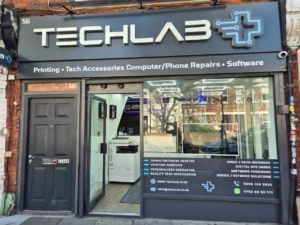
PS5 Repair Services at TechLab+
At TechLab+, PS5 overheating issues are handled with a professional and careful approach. Each console is inspected thoroughly to identify the exact cause of the problem.
Services include:
- Internal cleaning and dust removal
- Cooling system optimisation
- liquid metal thermal paste replacement
- Fan repair and replacement
- Full performance testing
The goal is not just to fix the issue temporarily, but to restore long-term performance.
TechLab+ also serves customers from nearby areas such as Brentford, Hanwell, Boston Manor, and Pitshanger, making it a convenient option for gamers across West London.
When Should You Bring Your PS5 for Repair?
You should consider professional repair if:
- Your PS5 shuts down unexpectedly
- The fan noise becomes unusually loud
- The console feels extremely hot
- You see overheating warnings
- Performance drops during gameplay
The earlier the issue is diagnosed, the easier and safer it is to fix.
Final Thoughts
PS5 overheating is a common issue, but it should never be ignored. What starts as a small problem — like dust build-up or restricted airflow — can quickly turn into serious internal damage if left untreated.
Professional cleaning and repair not only fix the immediate problem but also help protect your console in the long run.
If you’re experiencing overheating issues and searching for a reliable solution, getting your console checked by experienced technicians is the best step forward.
For gamers in Ealing and surrounding areas, TechLab+ offers dependable PS5 overheating repair and cooling system cleaning services, helping you get back to smooth, uninterrupted gaming.