Losing important data can be stressful—sometimes even devastating. Whether it’s family photos, work files, business documents, or years of memories, data loss often happens without warning. One moment your device is working fine, and the next, files are missing, corrupted, or completely inaccessible.
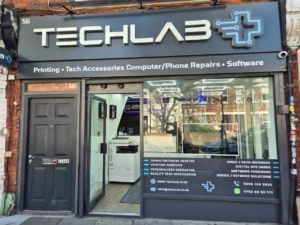
At TechLab+ in Ealing, we deal with data loss cases every week. Some situations are easily recoverable, while others depend heavily on what happened to the device and how quickly action is taken. This guide explains what data recovery can realistically achieve, what cannot be recovered, and what you should do immediately if data is lost.
If you’ve lost data from a phone, laptop, hard drive, or USB device, understanding the facts can help you avoid mistakes and improve your chances of recovery.

What Is Data Recovery?
Data recovery is the process of retrieving lost, deleted, or inaccessible data from storage devices such as:
- Smartphones (iPhone & Android)
- Laptops & desktops (Windows & macOS)
- Hard drives (HDD & SSD)
- USB flash drives
- Memory cards (SD, microSD)
- External storage devices
Data can be lost for many reasons—accidental deletion, hardware failure, software corruption, water damage, or power issues. In many cases, the data is still present on the device but cannot be accessed normally.
That’s where professional data recovery comes in.
Common Causes of Data Loss We See at TechLab+
Understanding how data is lost helps determine whether recovery is possible.
Accidental Deletion
This is one of the most recoverable situations. Files deleted accidentally are often still stored on the device until they are overwritten by new data.
Device Not Turning On
If your phone or laptop won’t power on, the storage may still be intact. In many cases, data can be recovered by repairing the device temporarily or accessing the storage directly.
Software Crashes & Corruption
Operating system failures, failed updates, or corrupted files can make data inaccessible. These cases often have good recovery success.
Water or Liquid Damage
Water damage doesn’t always mean permanent data loss. If handled quickly and correctly, recovery is often possible.
Hard Drive or SSD Failure
Mechanical failure (HDD) or controller issues (SSD) can cause sudden data loss. Recovery depends on the severity of damage.
What Data Can Be Recovered?
Deleted Files
- Photos
- Videos
- Documents
- Emails
- App data
If the device hasn’t been heavily used after deletion, recovery chances are high.
Phone Data
From both iPhones and Android devices, we can often recover:
- Photos & videos
- Contacts
- WhatsApp data (case-dependent)
- Notes and documents
Laptop & Computer Data
- Work files
- PDFs & Word documents
- Desktop folders
- Downloads
- User profiles
External Storage Devices
- USB flash drives
- Memory cards
- External hard drives
As long as the storage chips are intact, recovery is often possible.

What Data Cannot Be Recovered?
While data recovery is powerful, it is not magic. Some situations are unfortunately irreversible.
Overwritten Data
Once deleted data is overwritten by new data, it is permanently lost.
Physically Destroyed Storage Chips
If storage chips are cracked, burned, or heavily corroded, recovery may not be possible.
Encrypted Data Without Credentials
If data is encrypted and login credentials or encryption keys are lost, recovery is not feasible.
Securely Wiped Devices
Devices that have been factory wiped using secure erase methods cannot be recovered.
Why DIY Data Recovery Often Makes Things Worse
One of the most common mistakes we see is customers attempting DIY recovery before visiting a professional.
Common DIY mistakes include:
- Installing recovery software that overwrites data
- Repeatedly restarting failing devices
- Charging water-damaged phones
- Opening devices without proper tools
- Using untrusted online recovery tools
These actions often reduce recovery chances significantly.At TechLab+, we always recommend stopping device use immediately and bringing it in for assessment.
Our Data Recovery Process at TechLab+
We follow a careful, transparent process designed to maximise success while protecting your data.
Step 1: Free Initial Assessment
We inspect the device and identify the cause of data loss.
Step 2: Recovery Possibility Check
We honestly tell you whether recovery is likely before proceeding.
Step 3: Secure Recovery Process
We use professional-grade tools and clean handling procedures to extract data safely.
Step 4: Data Verification
Recovered files are checked before being returned to you.
Step 5: Safe Data Transfer
Your data is returned on a secure external drive or transferred to your preferred storage.
Your privacy and confidentiality are always respected.
How Long Does Data Recovery Take?
Recovery time depends on the device and issue:
- lost/deleted files: same day or 2–4 days
- Software corruption: 1–3 days
- Hardware failures: 3–7 days
- Severe damage: longer (case-dependent)
We always provide a realistic timeline upfront.
What to Do Immediately After Data Loss
If you’ve just lost data, these steps can improve recovery chances:
- Stop using the device immediately
- Do not install recovery software
- Do not charge water-damaged devices
- Avoid repeated power cycles
- Bring the device to a professional quickly
Time matters in data recovery.
Why Choose TechLab+ for Data Recovery in Ealing?
- Local Ealing-based technicians
- Experience with phones, laptops & drives
- Honest assessment (no false promises)
- Secure and confidential handling
- Clear pricing before work begins
- Friendly, human support—not automated services
We focus on real solutions, not unrealistic guarantees.
Final Thoughts
Data loss is frustrating, but it doesn’t always mean your files are gone forever. Many recovery cases succeed—especially when handled early and professionally.
The key is understanding what can be recovered, what can’t, and acting quickly.
If you’ve lost important data and need honest advice, visit TechLab+ in Ealing. We’ll assess your device, explain your options clearly, and help you recover what matters most—without confusion or pressure.