Despite how advanced smartphones have become, no iPhone is truly waterproof. Most are water-resistant, but that doesn’t protect them from real-world situations like rain, spills, bathroom accidents or a quick drop into the sink.
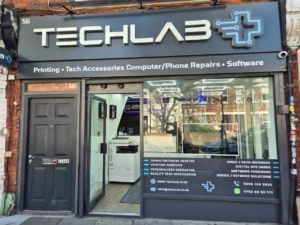
At TechLab+ (Ealing, London), water-damaged iPhones are one of the most common emergency repairs we handle. The sooner you understand the signs — and the right first steps — the better your chances of saving your device safely.
In this complete 2026 guide, we cover:
- The 10 warning signs your iPhone has water damage
- What the Liquid Contact Indicator (LCI) really means
- DIY steps that help — and the mistakes that destroy phones
- What to do immediately after exposure
- How long to wait before turning your iPhone back on
- What water damage Apple does (and doesn’t) cover
- How TechLab+ repairs water-damaged iPhones safely
Let’s begin.
10 Warning Signs Your iPhone Has Water Damage
Water damage doesn’t always show up instantly. Sometimes the symptoms appear slowly over hours – or even days.
Here are the most important signs to watch for:

1. Water marks or stains on the display
If you notice blurry spots, dark patches, or strange discolouration inside the screen, it’s a classic sign water has reached the display.
2. Touchscreen or buttons stop responding
Water can interfere with internal circuits, causing:
- Delayed touch response
- Ghost touches
- Home button issues
- Non-responsive volume/power buttons
3. Distorted or muffled sound
If the speakers sound weak, buzzing, or crackling, moisture may be stuck inside the speaker grill.
4. Strange noises when you move the phone
Hearing water swishing or rattling inside the body? That means liquid is trapped deeper inside.
5. Sudden shutdowns or won’t turn on
If your iPhone turns off randomly — or refuses to turn on — moisture may have reached the logic board.
The Liquid Contact Indicator (LCI): What It Actually Means
Every modern iPhone includes a tiny Liquid Contact Indicator, usually inside the SIM tray or charging port.
- White or silver = safe
- Bright red = exposed to liquid
Even water-resistant iPhones (like iPhone 12, 13, 14, 15,16 series) will trigger the LCI if exposed to any liquid, including:
- Rain
- Sweat
- Steam
- Coffee, tea, juice
- Saltwater
- Cleaning sprays
If the LCI is red, your phone has had liquid exposure — and Apple can refuse warranty coverage because of this.
More Subtle Signs of iPhone Water Damage
Even if your phone looks fine on the outside, watch for these less obvious symptoms:
6. Condensation under the screen
Often mistaken for smudges or fingerprints. This is moisture trapped inside the display layers.
7. Foggy or blurry camera lens
If your photos look foggy, cloudy or smudged, water has likely entered the camera unit.
8. Boot loop problems
Your iPhone restarts continuously and never reaches the home screen — a sign of moisture damage to software or hardware.
9. Face ID / Touch ID stops working
Biometric sensors are extremely sensitive. Water exposure can stop recognition entirely.
10. Corrosion inside the charging port
Green-ish, white, or rusty residue inside the charging port or SIM tray is a sign of longer-term liquid exposure.
What to Do Immediately After Your iPhone Gets Wet
These steps can save your phone from short-circuiting:
1. Turn your iPhone OFF instantly
This is the most important step.
Leaving the phone powered on allows electricity to travel across wet components — causing permanent damage.
2. Remove the case and SIM tray
Cases trap moisture. Removing the SIM tray helps water escape.
3. Gently dry the outside
Use a soft cloth to remove as much liquid as possib
4. Leave the device to dry 48 hours
Place your iPhone in a dry, ventilated space for at least 48 hours. For faster drying, you can place it near (not on) a low heat source or use silica gel packets.
Common Mistakes That Make the Damage Worse
Many people accidentally destroy their water-damaged iPhones by doing one of these:
- Using a hairdryer
- Leaving it in rice (does nothing and adds dust)
- Plugging it in while still wet
- Shaking the phone
- Opening it at home without tools
- Trying to charge it to “see if it works”
These mistakes can turn a minor repair into a logic board-level fault.
Can You Fix a Water-Damaged iPhone at Home?
Short answer: No — not safely.
You can dry it, but you shouldn’t try to clean or open it.
iPhones require:
- Professional disassembly
- PCB micro-cleaning
- Ultrasonic cleaning equipment
- Proper drying chambers
Without these, internal corrosion continues to spread.
Does Apple Cover Water Damage in 2026?
Standard Apple Warranty
Does NOT cover any liquid damage.
AppleCare+
Covers accidental liquid damage
Still requires a service fee
LCI Activation
If the indicator is red, Apple automatically denies standard warranty claims.
How Long Should You Wait Before Turning Your iPhone On?
Minimum recommended drying time: 48 hours.
But the longer, the better.
Signs it’s safe to turn on:
- LCI is not red
- No condensation under the screen
- No visible wetness in ports
- Phone feels completely dry
Still — this doesn’t guarantee internal safety.
Water Resistance Levels of iPhones (2026 Update)
Little to No Water Resistance
- iPhone 6 / 6 Plus
- iPhone 6s / 6s Plus
- iPhone SE (2016)
IP67 Rated (1 meter for 30 mins)
- iPhone 7 / 7 Plus
- iPhone 8 / 8 Plus
- iPhone X / XR
- iPhone SE 2020
IP68 Rated (Up to 6 meters for 30 mins)
- iPhone XS Series
- iPhone 11 Series
- iPhone 12 Series
- iPhone 13 Series
- iPhone 14 Series
- iPhone 15 Series
- iPhone 16 Series
Remember — water-resistant isn’t waterproof.
Saltwater, chlorine, soap, steam, and pressure can all bypass seals.

How TechLab+ Saves Your Water-Damaged iPhone
At TechLab+ (Ealing), we specialise in restoring liquid-damaged devices safely and quickly.
Our repair process includes:
- Complete diagnostic
We check the logic board, LCI, and assess damage accurately.
- Professional disassembly
We carefully open the device with proper tools — no damage, no voiding extra components.
- Ultrasonic cleaning
Removes corrosion and micro-residue from the logic board.
- Component testing
We test:
- Screen
- Camera
- Battery
- Touch ID / Face ID
- Charging system
Parts replacement (if needed)
We use high-quality, durable components.
Fast turnaround
Same-day or 24–48 hour service for most water-damage repairs.
How to Prevent Water Damage in the Future
Here’s how to keep your iPhone safe going forward:
- Use a waterproof or water-resistant case
- Never bring your phone into the bathroom while showering
- Avoid poolside or beachside use
- Keep it away from steam, saunas, and hot tubs
- Don’t use your phone in the rain
- Get your device checked at TechLab+ if exposed
Final Thoughts: Act Fast — Your iPhone Can Be Saved
Water damage is scary, but it doesn’t have to mean the end of your device.
If your iPhone comes in contact with liquid, the best move is to turn it off and bring it to TechLab+ as soon as possible.
Our trained technicians in Ealing can often save devices that other shops or Apple might reject.
📍 TechLab+ – 56 Northfield Avenue, Ealing, W13 9RR
📞 info@techlab.plus
💬 Walk-ins welcome