Almost everyone has experienced it — your phone was fast and smooth when you first bought it, but over time it starts to lag, freeze, or respond slowly. Apps take longer to open, the keyboard delays while typing, and sometimes the phone heats up for no clear reason. Most people assume this is “normal” or believe the only solution is to buy a new phone.
But the truth is, many phones slow down due to reasons that are often ignored or misunderstood. In many cases, performance issues can be fixed without replacing the device. Let’s break down the real reasons your phone might be slowing down — and what you can do about them.

1. Storage Is Almost Full (Even If It Doesn’t Look Like It)
One of the most common reasons for slow phone performance is low available storage. Many users check their phone and see a few gigabytes free, assuming everything is fine. However, modern smartphones need free space to function properly.
Why storage affects speed
Your phone constantly creates temporary files, cache data, and system logs. When storage is nearly full:
- Apps struggle to load data efficiently
- System updates fail or run poorly
- Background processes slow down
Photos, videos, WhatsApp media, and unused apps slowly fill up storage without you noticing.
What you can do
- Delete unused apps
- Clear app cache (especially social media apps)
- Move photos and videos to cloud storage or an external drive
- Regularly clear WhatsApp and Messenger media folders
Freeing up storage often gives an immediate speed boost.
2. Too Many Apps Running in the Background
Hidden impact
- Uses RAM continuously
- Drains battery faster
- Causes heating, which further slows performance
Phones with limited RAM suffer the most, but even high-end phones can slow down if overloaded.
What you can do
- Close unused apps regularly
- Disable background refresh for apps you don’t need
- Uninstall apps you rarely use
This reduces memory pressure and improves responsiveness.
3. Software Updates Can Slow Down
Software updates are meant to improve security and features, but on older phones, they can sometimes have the opposite effect.
Why this happens
New updates are optimized for newer hardware. Older processors and limited RAM may struggle with:
- Heavier animations
- New background services
- More demanding system features
This doesn’t mean updates are bad — security updates are essential — but performance can suffer.
What you can do
- Keep your phone updated, but avoid unnecessary beta versions
- Disable visual effects and animations
- Reset the phone after major updates (after backing up data)
A clean system setup often restores lost speed.
4. Battery Health Is Poor (A Big One People Ignore)
Most people don’t realize that battery health directly affects performance. As batteries age, they can no longer deliver stable power.
What happens when battery health drops
- Phone throttles performance to prevent sudden shutdowns
- Apps load slower
- Phone heats up more easily
This is especially common in phones older than 2–3 years.
Signs your battery may be the issue
- Phone dies suddenly at 20–30%
- Device feels slow even after a reset
- Phone heats up during normal use
Solution– Replacing the battery often restores performance dramatically — sometimes making the phone feel almost new again
5. Cache and Junk Data Build-Up
Apps store temporary files (cache) to load faster. Over time, this cache can become outdated, corrupted, or excessive.
Why cache becomes a problem
- Takes up storage
- Causes app crashes or slow loading
- Conflicts with updated app versions
Apps like Instagram, Facebook, YouTube, and browsers are major contributors.
What you can do
- Clear cache manually from settings
- Clear browser data
- Restart your phone regularly
This simple step is often overlooked but very effective.
6. Malware, Adware, or Bad Apps
Not all performance issues are hardware-related. Malicious or poorly designed apps can seriously slow down your phone.
Warning signs
- Random pop-up ads
- Phone gets hot when idle
- Sudden battery drain
- Unknown apps installed
These apps run silently in the background, using CPU, memory, and internet data.
What you can do
- Uninstall suspicious apps
- Avoid downloading apps from unknown sources
- Use trusted app stores only
- Reset the phone if the issue persists
A clean system is crucial for smooth performance.
7. Aging Hardware Is Still a Factor (But Not Always the End)
Over time, internal components naturally wear down:
- Slower processors compared to modern apps
- RAM limitations
- Storage chips aging
However, this doesn’t automatically mean your phone is useless.
Often fixable with:
- Battery replacement
- Storage cleanup
- Software optimization
- Removing unnecessary apps
Many phones can last years longer with proper maintenance.
8. Too Many Widgets, Live Wallpapers, and Effects
Customizations look great, but they consume system resources.
Performance-heavy features include:
- Live wallpapers
- Animated widgets
- Always-on location services
- Excessive notifications
These constantly refresh and drain system resources.
Quick fixes
- Use static wallpapers
- Remove unused widgets
- Limit notifications
- Turn off unnecessary location access
Less background activity = faster phone.
9. Your Phone Has Never Been Properly Restarted
Many people never fully restart their phone for months.
Why restarting matters
- Clears temporary memory
- Stops stuck background processes
- Refreshes system resources
A simple restart once a week can prevent many performance issues.
10. When Professional Help Is the Best Option
If you’ve tried everything and your phone is still slow, it may need professional inspection.
A technician can:
- Check battery health
- Identify failing components
- Clean internal dust (especially for overheating issues)
- Perform safe system resets and optimizations
In many cases, a repair costs far less than buying a new phone.

Final Thoughts: Don’t Replace — Repair Smartly
A slow phone doesn’t always mean it’s outdated or broken. Most performance issues come from storage overload, aging batteries, background apps, or ignored maintenance. These are problems that can often be fixed quickly and affordably.
Before spending money on a new device, it’s worth understanding what’s really causing the slowdown. With the right care — and sometimes a simple repair — your phone can run smoothly again and last much longer than you expect.
Why Get Your Phone Checked at TechLab+?
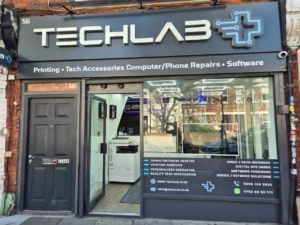
If your phone is slowing down and you’re not sure what’s causing it, TechLab+ in Ealing can help. Our technicians don’t just suggest replacements — we first diagnose the real issue, whether it’s battery health, storage overload, software problems, or internal hardware wear.
From battery replacements and performance optimization to safe data checks and device repairs, we focus on extending the life of your phone whenever possible. Many customers are surprised by how much faster their phone feels after a proper inspection and repair.
If your device feels slow, overheats, or struggles with everyday tasks, getting it checked professionally could save you the cost of a new phone.