Using a laptop in public has become part of everyday life. You might work from a café, study in a library, answer emails on a train or work with sensitive information in a shared office.
The problem is that someone sitting next to you can sometimes see exactly what’s on your screen.
Emails, work documents, customer information, personal messages and even online banking details can all be visible to people around you. This is known as shoulder surfing, and a privacy screen can help reduce the risk.
But how do laptop privacy screens work? Are they worth using? What are the disadvantages, and how do you choose the right one?
Here’s what you need to know before buying one.
What Is a Laptop Privacy Screen?
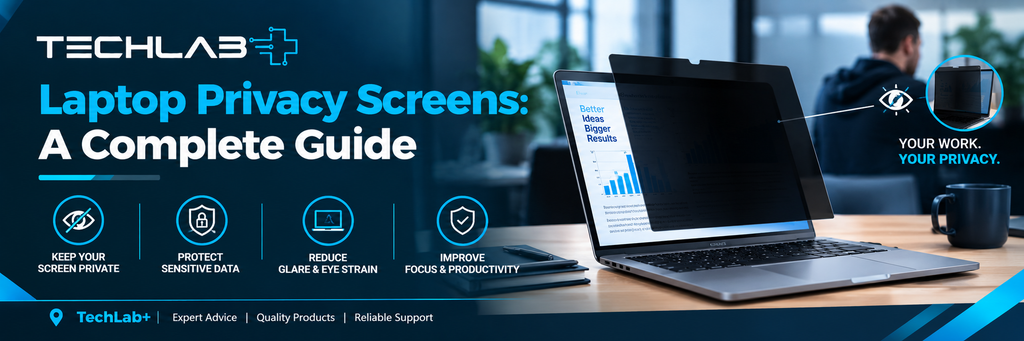
A laptop privacy screen is a thin filter that sits over your laptop’s display and restricts the viewing angle.
When you look directly at the screen, the display should remain relatively clear. However, when someone views it from the side, the screen becomes much darker or harder to read.
Most privacy filters use a microscopic louvre structure that limits how much light travels towards people viewing the screen from an angle.
This makes them particularly useful when you’re working in places where other people are nearby.
How Does a Privacy Screen Work?
A privacy filter doesn’t actually hide your screen completely. Instead, it narrows the effective viewing angle.
Think of it like looking through partially closed window blinds.
From directly in front, you can see through the opening. Move to the side, and your view becomes restricted.
The exact level of privacy varies between products. Some filters provide stronger side-angle protection than others.
It’s also important to remember that privacy filters aren’t designed to protect against every viewing angle. Someone directly behind you, for example, may still be able to see parts of the display depending on the laptop’s position, screen brightness and the particular filter.
Why Use a Privacy Screen on a Laptop?
A privacy screen can be useful for anyone who regularly works away from home.
Working in Public
If you regularly work in cafés, airports, hotels, libraries or co-working spaces, a privacy screen can make it harder for people nearby to casually view your display.
This can be particularly useful when you’re handling confidential documents or business information.
Travelling by Train or Plane
Laptop screens can be particularly exposed when you’re travelling.
The person sitting beside you may have a clear view of your display. A privacy filter can reduce the viewing angle and make casual screen reading more difficult.
Working With Sensitive Information
Business users may work with:
- Customer information
- Financial documents
- Internal company files
- Emails
- Passwords and account details
- Contracts
- Business reports
A privacy screen isn’t a replacement for proper cybersecurity, but it can provide an additional physical privacy measure.
Students
Students can also benefit from privacy filters when working in libraries, classrooms, shared accommodation or cafés.
It can help keep assignments, personal messages and accounts less visible to people sitting nearby.
Advantages of Laptop Privacy Screens
Privacy filters offer several practical benefits.
Better Privacy
The biggest advantage is obvious: people sitting beside you have a much harder time reading your screen.
Easy to Use
Most privacy filters are relatively simple to install. Depending on the design, they may attach using adhesive strips, mounting tabs or magnets.
Useful for Mobile Workers
If you regularly move between your home, office and public locations, a privacy screen can be a convenient addition to your laptop setup.
Some Offer Anti-Glare Protection
Certain privacy filters also have matte or anti-glare surfaces. These can reduce reflections from overhead lighting and windows.
However, anti-glare performance varies between products, so it is worth checking the specifications before buying.
May Provide Minor Scratch Protection
Some filters can also provide a degree of protection against light scratches or marks on the display.
However, they should not be considered impact protection. A privacy filter won’t protect a laptop screen from a serious drop or physical impact.
Disadvantages of Privacy Screens
Privacy filters aren’t perfect, and there are a few things you should consider before buying one.
The Screen May Look Darker
One of the most common drawbacks is reduced brightness.
Because the filter restricts the amount of light reaching viewers from certain angles, your screen can sometimes appear darker than it did without the filter.
You may need to increase screen brightness, which can also affect battery life.
Viewing Angles Become More Limited
The same feature that provides privacy can make collaboration more difficult.
If you’re sitting with a colleague and want to show them something on your screen, they may find it harder to see clearly from the side.
A removable filter can be a better choice if you frequently share your display.
Colours May Look Different
Some privacy filters can slightly affect colour appearance or contrast.
If you work in photography, graphic design, video editing or another field where colour accuracy is important, check how the filter affects the display before using one permanently.
Incorrect Fit
A privacy screen needs to match your laptop’s display correctly.
Simply buying a filter because it says “15-inch laptop” isn’t always enough. Two laptops with the same diagonal screen size can have different aspect ratios and dimensions.
Removable vs Permanent Privacy Screens
There are several ways privacy filters can attach to a laptop.
Removable Filters
These can be taken off when you don’t need privacy.
They’re useful if you regularly switch between working alone and collaborating with other people.
Adhesive or Fixed Filters
These are designed to remain attached to the display.
They can provide a neat, permanent solution if you need privacy protection most of the time.
Magnetic Filters
Magnetic privacy filters can be convenient because they can generally be attached and removed more easily than permanent options.
However, compatibility depends on the laptop’s screen design and bezel.
Which Type Should You Choose?
If you frequently travel but work collaboratively at your desk, a removable or magnetic privacy screen may be more practical.
If you work with sensitive information throughout the day and rarely need to share your display, a more permanent option may suit you better.
How to Choose the Right Privacy Screen
Don’t buy a privacy filter based only on screen size.
Before purchasing, check the following:
- Screen dimensions: Measure the actual display area rather than relying only on the laptop’s advertised size.
- Aspect ratio: Modern laptops can use different aspect ratios, including 16:9, 16:10 and 3:2.
- Attachment method: Decide whether you want a removable, magnetic or fixed filter.
- Touchscreen compatibility: If your laptop has a touchscreen, make sure the filter is designed to work with touch input.
- Glossy or matte finish: A matte filter may be useful if reflections are a problem.
- Viewing angle: Check how effectively the filter restricts side viewing.
- Display quality: If colour accuracy and brightness are important, choose carefully because some filters can affect both.
Do Privacy Screens Reduce Blue Light?
Some privacy filters advertise additional blue-light filtering, but privacy protection and blue-light reduction are separate features.
A privacy filter can restrict side viewing without necessarily reducing blue light.
If blue-light filtering is important to you, check the manufacturer’s specifications rather than assuming every privacy screen provides it.
Also remember that blue-light reduction can change the appearance of colours on the screen, which may matter for colour-sensitive work.
Are Laptop Privacy Screens Worth It?
For many people, a privacy screen can be a useful accessory, particularly if they regularly use a laptop outside the home.
They can be useful for:
- Business professionals
- Remote workers
- Students
- Freelancers
- Travellers
- Commuters
- People working in shared offices
If you only use your laptop at home and rarely have other people around, you may have less need for one.
A privacy filter also shouldn’t be treated as a complete security solution. It won’t stop someone from accessing your account if your laptop is unlocked, and it doesn’t replace strong passwords, screen locks, encryption or other cybersecurity measures.
Think of it as one additional layer of physical privacy.
What If Your Laptop Screen Has a Problem?
A privacy filter should only be added after making sure the laptop display itself is in good condition.
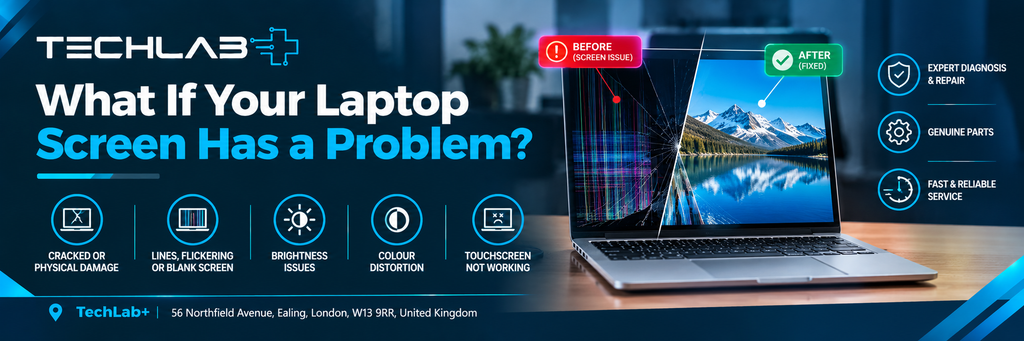
If your laptop screen is already showing:
- Flickering
- Lines or coloured patches
- Very low brightness
- Cracks
- Dead pixels
- Black or distorted areas
- Intermittent display problems
The issue may need to be diagnosed before fitting a privacy filter.
At TechLab+, we provide laptop and computer repair in Ealing, helping customers with display problems, laptop hardware issues and other computer repairs.
We also serve customers from nearby areas including Brentford, Hanwell, Boston Manor and Pitshanger.
If you’re unsure whether you need a screen repair, replacement or simply a suitable screen accessory, getting the laptop checked first can help you choose the right solution.
Final Thoughts
A laptop privacy screen is a simple way to improve physical screen privacy when you’re working around other people.
It can make it harder for someone sitting beside you to read your emails, documents, messages or other information without your knowledge.
However, privacy filters aren’t suitable for every situation. They can reduce brightness, narrow viewing angles and sometimes affect colour accuracy.
The best option depends on how and where you use your laptop. If you regularly work in public places, a good-quality privacy filter can be a useful addition to your laptop setup.
And if you’re experiencing an actual laptop screen problem rather than simply looking for additional privacy, TechLab+ can help diagnose the issue and advise on the appropriate repair.
Yes. A privacy filter can significantly restrict visibility from the sides, making it harder for people nearby to read your screen.
Possibly. Privacy filters mainly restrict side-angle viewing. The level of protection from behind depends on the laptop position, viewing angle and filter design.
It can. Some privacy filters reduce perceived brightness, so you may need to increase your screen brightness.
Yes, if you choose a removable or magnetic model. These can be useful if you frequently need to share your screen with colleagues or classmates.
It depends on the specific filter. If your laptop has a touchscreen, choose a filter specifically designed to support touch functionality.
No. It only provides physical viewing privacy. You should still use a strong password, screen lock, appropriate security software and other standard security measures.