A gaming PC can be a significant investment, so when it starts running slowly, overheating, crashing or showing other problems, the first question is often: “Should I repair it or replace it?”
The answer isn’t always straightforward.
Unlike many laptops, gaming PCs are usually made up of individual components that can be upgraded or replaced. A failing graphics card, overheating processor, faulty power supply or damaged storage drive doesn’t necessarily mean the entire computer has reached the end of its life.
In many situations, repairing or upgrading one component can bring a gaming PC back to reliable performance for considerably less than buying a completely new system. But there are also situations where replacement makes more sense. This guide explains how to decide whether your gaming PC needs a repair, upgrade or complete replacement.
Quick Answer: Should You Repair or Replace Your Gaming PC?
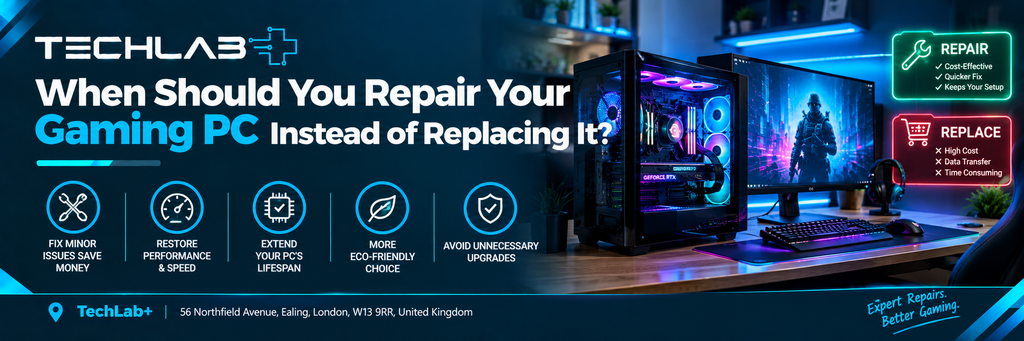
Repair your gaming PC if the main problem is caused by one replaceable component and the rest of the system is still suitable for your needs.
Consider replacing the PC if multiple major components are outdated, the motherboard/platform is no longer suitable for modern upgrades, or the cost of several repairs and upgrades approaches the price of a new system.
The right decision depends on the actual fault, age of the components, upgrade compatibility and your gaming requirements.
Signs Your Gaming PC May Need Repair
A gaming PC doesn’t necessarily need replacing just because something goes wrong. Some common problems can be fixed by repairing or replacing a specific component.
1. Your Gaming PC Is Overheating
Overheating is one of the most common problems gaming PC owners encounter.
You may notice:
- CPU or GPU temperatures becoming unusually high
- Fans running constantly
- Sudden performance drops
- Games freezing or crashing
- Unexpected shutdowns
- Loud fan noise
Overheating can be caused by dust buildup, poor airflow, a failing fan, an incorrectly installed cooler or ageing thermal paste.
In these situations, cleaning or repairing the cooling system may be enough.
You don’t necessarily need a new gaming PC.
2. The PC Is Making Unusual Noises
Gaming PCs naturally make some noise, especially when the graphics card and processor are under heavy load. However, a new clicking, grinding, rattling or buzzing sound shouldn’t automatically be ignored.
The source could be:
- A failing case fan
- CPU cooler fan
- GPU fan
- Mechanical hard drive
- Loose component or cable
- Power supply fan
If the problem is isolated to a replaceable component, repairing it can be much more sensible than replacing the whole computer.
3. Your Gaming PC Keeps Crashing
Repeated crashes don’t automatically mean your gaming PC is too old.
Crashes can be caused by several different issues, including:
- Overheating
- Faulty RAM
- Graphics driver problems
- Storage failure
- Power supply problems
- Windows issues
- Unstable overclocking
- Faulty graphics hardware
The first step should be identifying why the PC is crashing.
Replacing the entire system without diagnosing the problem could mean spending money unnecessarily.
4. Your Graphics Card Is Struggling
The GPU is one of the most important components for gaming performance. If newer games are becoming difficult to run, that doesn’t necessarily mean you need a new gaming PC. Depending on your existing system, upgrading the graphics card may provide a significant performance improvement.
However, GPU upgrades need to be considered alongside the rest of the system.
You need to check:
- Power supply capacity
- PCIe compatibility
- Available space inside the case
- CPU performance
- Cooling
- Power connectors
A professional assessment can help determine whether your existing PC can handle the upgrade.
When Is a Gaming PC Upgrade Better Than a Repair?
Sometimes the PC isn’t actually broken. It simply isn’t powerful enough for what you want to do.
That’s an important difference.
If your computer works reliably but games are running at lower frame rates than you’d like, an upgrade may be more appropriate than a repair.
Possible upgrades include:
Graphics Card
A newer GPU can provide a major improvement in gaming performance, depending on the rest of the system.
RAM
If your system doesn’t have enough memory for your games and other applications, adding compatible RAM may improve overall responsiveness.
SSD
Moving from an older hard drive to an SSD can make Windows, applications and game loading feel considerably faster.
CPU
A processor upgrade can improve gaming performance in CPU-heavy games, but CPU compatibility depends on the motherboard and platform.
Cooling
Better cooling can help maintain stable performance when the system is under sustained load.
When Should You Replace Your Gaming PC?
There are situations where continuing to repair or upgrade an older gaming PC may no longer make financial or practical sense.
1. Multiple Major Components Are Failing
If your PC needs a new graphics card, motherboard, power supply and storage drive at the same time, the total repair cost can become significant.
At that point, compare the combined cost with the price of a new system.
2. The Platform Is Too Old
A gaming PC may still technically work but use an older platform that severely limits your upgrade options.
For example, if the motherboard only supports older processors and memory standards, upgrading one component may leave other parts as performance bottlenecks. A new system may provide a better long-term upgrade path.
3. Your Power Supply Cannot Support Your Upgrade
The power supply is often overlooked when planning gaming PC upgrades. A newer, more powerful graphics card may require more power or different power connectors. If your existing PSU isn’t appropriate for the new hardware, upgrading the GPU alone may not be practical. This doesn’t necessarily mean the whole PC needs replacing, but several component upgrades may be required.
4. Repair Costs Are Too Close to Replacement Costs
This is one of the most important questions to ask:
How much will the repair actually cost compared with a suitable replacement?
For example, if a relatively inexpensive fan has failed and the rest of the PC is in good condition, repair is usually an obvious choice. But if an older system requires several expensive components, replacing the PC may provide better value.
Repair vs Replace: A Simple Comparison
| Situation | Usually Consider |
|---|---|
| PC overheating | Repair/maintenance |
| Faulty fan | Repair/replacement |
| Dust buildup | Cleaning |
| Damaged storage drive | Replace the drive |
| Not enough RAM | RAM upgrade |
| Slow gaming performance | Upgrade |
| Outdated GPU | GPU upgrade |
| Faulty power supply | PSU replacement |
| Repeated crashes | Diagnose first |
| Several major components failing | Compare repair vs replacement |
| Very old platform with limited upgrades | Consider replacement |
| PC works but can’t run newer games well | Upgrade or replace |
This isn’t a fixed rule. The best decision depends on the specific hardware and fault.
Don’t Replace a Gaming PC Before Diagnosing the Problem
One of the most common mistakes is assuming that poor performance means the entire PC is outdated.
For example, a gaming PC may suddenly become slow because:
- The CPU is overheating
- The GPU driver has a problem
- The storage drive is failing
- Background software is consuming resources
- The system has accumulated dust
- The PC is running out of storage space
- A cooling fan has stopped working
Replacing the entire computer without finding the actual cause can be an expensive mistake.
Diagnosis should come before replacement.
Can Professional Gaming PC Repair Help?
Yes. If you’re unsure whether your gaming PC should be repaired, upgraded or replaced, professional diagnosis can help you make the decision based on the actual condition of the system.
At TechLab+, we provide computer and gaming PC repair in Ealing, helping customers identify hardware and performance problems before deciding what to do next.
Our team can assess issues such as:
- Overheating
- Fan problems
- Slow performance
- Hardware faults
- Storage problems
- Power-related issues
- Gaming PC component problems
TechLab+ also serves customers from nearby areas including Brentford, Hanwell, Boston Manor and Pitshanger.
The aim isn’t simply to recommend a replacement. The important first step is understanding what is actually wrong with the PC and whether repairing or upgrading it makes financial sense.
Final Verdict: Repair or Replace?
There isn’t one answer that applies to every gaming PC.
Repair your gaming PC when:
- The problem is isolated to one component.
- The PC is otherwise performing well.
- The affected part can be replaced.
- The repair cost is reasonable.
- You still have a suitable upgrade path.
Consider replacing your gaming PC when:
- Several major components need replacing.
- The platform is significantly outdated.
- Upgrades would require replacing most of the system.
- Repair and upgrade costs approach the price of a suitable new PC.
- The system no longer meets your gaming requirements.
The most important thing is don’t assume you need a new PC before finding out what’s wrong with the existing one.
A faulty fan, overheating issue, failed SSD or power supply problem can often be addressed without replacing an otherwise capable gaming computer.